Skincare is difficult to film honestly because texture is both the subject and the thing a camera can easily distort. A glossy highlight can look like hydration, a soft filter can erase pores, and a change in white balance can make the same cream appear to change color. The goal is not to make skin look “perfect.” It is to let a viewer understand what was applied, how it moved, and what the footage can—and cannot—prove.
This guide is for creators and editors making a product demonstration, routine, tutorial, or sponsored beauty video. Treat the shot as evidence: a visual record of a product and application step, with its limits stated plainly. It does not diagnose skin or promise a treatment result.
Define the demonstration before setting the camera
Write one sentence that names the viewer’s question. Examples: “How quickly does this gel spread over a clean cheek?” or “What does the finish look like after one layer in this room?” The question determines the shot. A texture demonstration needs a stable surface and enough time to see the product move; a routine tutorial needs readable sequencing; a sponsored review needs an honest account of experience and a visible commercial disclosure.
Make a production note before filming:
- product name, shade or variant, and the exact amount you intend to show;
- skin-preparation state, application tool, and the body area shown;
- light position, camera, lens, distance, frame rate, and white-balance setting;
- what is observed directly (for example, “the gel spreads with a wet sheen”);
- what is not being tested (for example, wear time, irritation, clinical efficacy, or performance on every skin type).
That line prevents a close-up from being edited into a larger promise. A person’s result is an experience, not universal evidence.
Build a repeatable texture shot
1. Use stable, neutral light
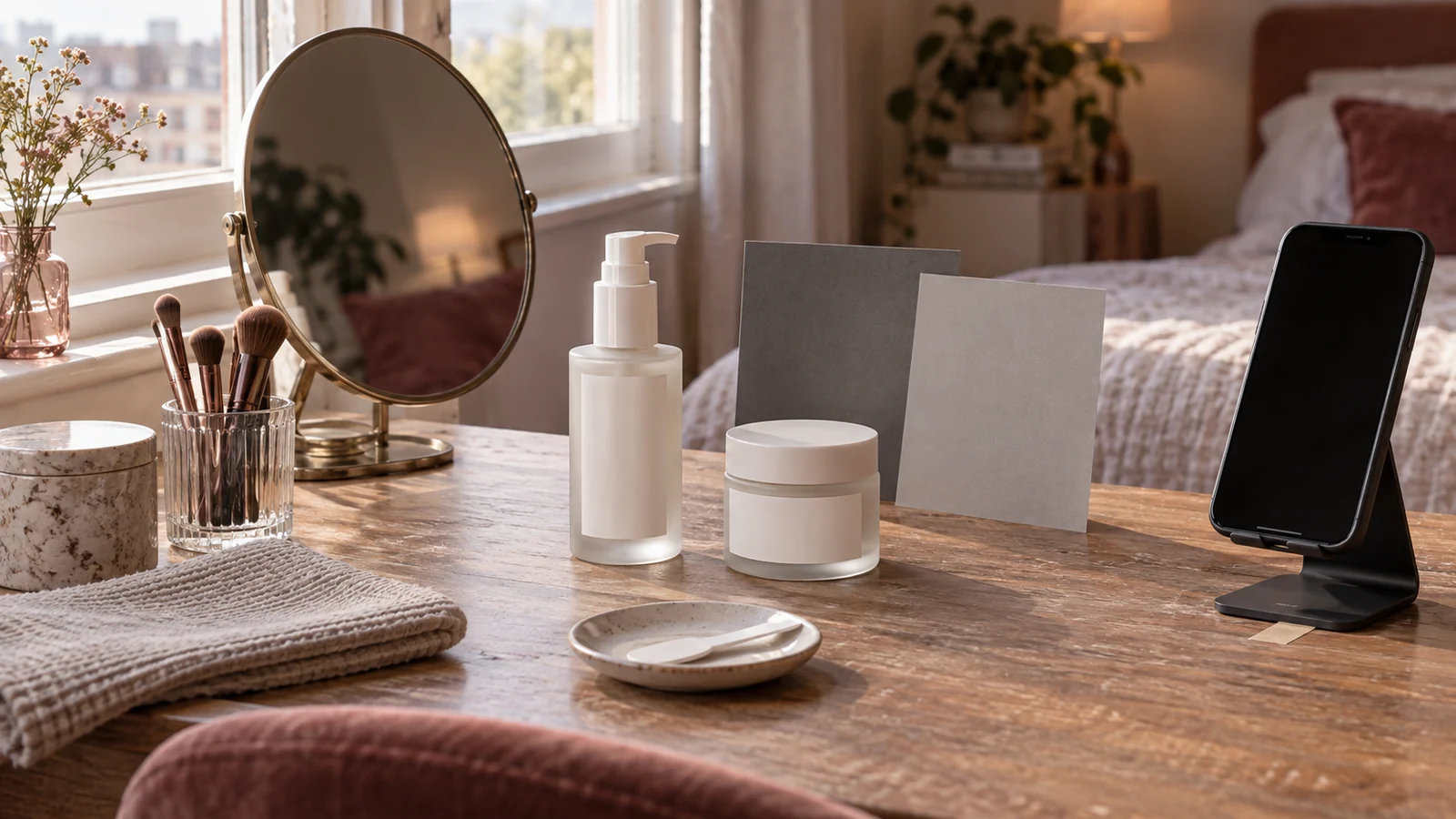
Choose a soft, broad source that reveals a highlight without clipping it. Keep the light, camera, and subject position fixed between the unopened product, the dispensed amount, and the spread stage. Lock exposure and white balance when the camera allows it; automatic adjustments can make a cream appear to change tone as the hand enters the frame. Record the setup in the production note so a pickup shot can match it.
Avoid a beauty filter, skin-smoothing mode, or retouching that removes the very information being demonstrated. A creative grade may be appropriate for the finished film, but retain a neutral reference clip and disclose material alterations. If you add diffusion, say so in the making-of note and do not call the resulting image an unaltered view of texture.
Watch highlights on skin and packaging. A reflected lamp can hide whether a product is glossy, tacky, or simply overexposed. Move the source or flag reflections before changing the product.
2. Show the product and amount before application
Start with the container and label long enough for a viewer to identify the product. Do not imply that the amount shown is a manufacturer’s recommended dose unless the label or instructions say that. Dispense onto a clean, visible surface or directly onto the intended area, and keep the hand or tool from blocking the key moment.
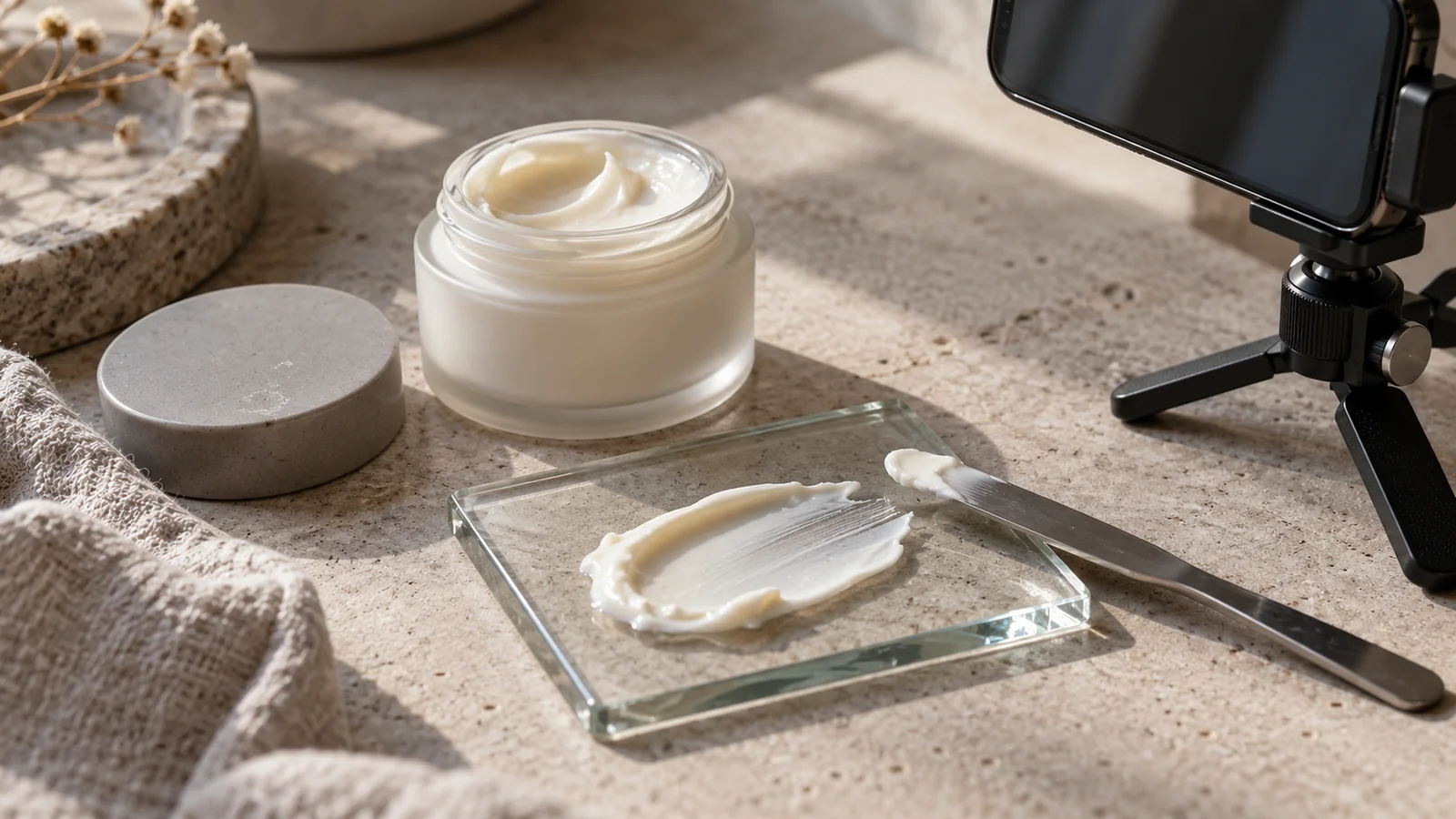
For a texture shot, show three distinct moments: the deposit, the first spread, and the settled appearance. Use a locked frame or a slow, deliberate camera move. A macro lens is optional, not automatically more truthful. Extreme magnification can exaggerate flakes and pores, while a wide phone camera can flatten detail. State camera and lighting conditions when they materially affect interpretation.
Keep a second, wider shot for context so viewers can see where the product is being applied. If you use a split screen or before/after comparison, match framing and exposure and label the time relationship. “Before” and “after” do not by themselves establish causation.
3. Film application as a sequence, not a jump cut
Plan coverage around the actions a viewer needs to copy: pick up or dispense, place, spread, and finish. Hold each action until its purpose is clear. If the application requires patting, rubbing, or a specified wait, use the instructions supplied with that product and show the relevant step rather than inventing a universal technique.
Keep the same hand, tool, direction, and pressure where possible. Capture room tone and a clean take of the product label so the editor can avoid covering the explanation with music.
Do not conceal a failed application by cutting from a small amount to a fully blended result. If you redo the application, disclose the reset in narration or on-screen text. A useful line is: “Reset for clarity; the previous layer was removed.” This protects the audience from reading a staged outcome as one continuous pass.
4. Make color and finish legible
Film a neutral reference at the start of each lighting setup and keep the same color-management path through the edit and export. Check the final file on the destination screen. A warm room, colored bounce, or tinted monitor can alter the perceived shade. Avoid describing a color with a named match (“exactly this shade”) unless the comparison is actually controlled and relevant.
Separate observable finish language from performance claims. “Looks dewy under this light” describes the frame. “Hydrates for twelve hours” is a performance claim that needs substantiation and a clearly defined test. “Reduces redness” or “repairs the barrier” may imply an effect on the structure or function of skin, not merely appearance. In the United States, the FDA explains that cosmetic labeling must be truthful and not misleading, and that products marketed to treat disease or affect the structure or function of the body can be regulated as drugs. A creator should not turn a visual impression into a therapeutic promise.
If the video is paid, gifted, affiliate-linked, or otherwise connected to a brand, disclose that relationship where the endorsement occurs. The FTC advises that a disclosure be hard to miss, in the same language as the endorsement, and included in the video rather than only in a description. Use plain wording such as “Ad,” “Sponsored,” or “The brand sent this product.” Do not let a vague “thanks” or an isolated hashtag carry the disclosure.
Protect the person and the product
Ask permission before filming someone’s face, hands, or skin condition, and agree on where the footage will appear. Do not pressure a participant to continue when there is burning, swelling, pain, or another concerning reaction. Stop, remove the product according to its directions, and direct health questions to an appropriate professional. The production team should not diagnose the reaction on camera.
Follow the package directions and hygiene requirements. Use clean hands and tools; avoid double-dipping into a jar; never share eye products or applicators. The FDA warns that misuse or contamination of eye cosmetics can lead to infection and advises against applying eye cosmetics in a moving vehicle. Keep the demonstration stationary, keep non-eye products away from the eye area, and do not film a risky stunt for a more dramatic close-up. A product shot is not worth an injury.
Do not add water, saliva, fragrance, or another ingredient to create a more “spreadable” texture unless the manufacturer explicitly instructs it. That would no longer be a demonstration of the product as sold.
Edit for comprehension and accessibility
Use the edit to clarify, not exaggerate. Preserve the order of deposit, spread, and finish. If speed ramps, freeze frames, crops, or color changes alter what a viewer perceives, signal them. Keep an uncut or minimally cut reference available for review. Do not use a pore-blurring transition between states while calling the result “real time.”
Write captions that identify meaningful speech and relevant sound, such as “plastic spatula taps jar” or “application paused for 30 seconds,” when those cues affect understanding. Add descriptive alternative text or an equivalent text description for an image that carries information. W3C’s Images Tutorial distinguishes informative, decorative, functional, and complex images: the text alternative should convey the information or function, while a purely decorative image can use an empty alternative. A texture demonstration is usually informative, so its description should name the product action and visible result without promising more than the frame shows.
Before export, inspect the small-screen version. Check that product names, disclosures, captions, and safety notes remain readable; that the skin area is not hidden by interface overlays; and that the audio explanation is understandable without relying on a music bed. If a claim is made in voiceover but not supported by the footage or source material, remove it or rewrite it as a limited observation.
A practical review record
The reviewer should answer four questions:
- Can a new viewer tell what product, amount, surface, and step are being shown?
- Does the lighting and edit preserve the relevant texture and color?
- Are observations separated from efficacy, medical, or universal claims?
- Are consent, hygiene, accessibility, rights, and commercial disclosure handled?
If the answer is no, fix the shot or narrow the language. A credible limitation—“finish shown under soft daylight; wear time not tested”—is more useful than a polished but unsupported promise.
Release checklist
Publish only when the final review confirms that:
- the intended question and application sequence are clear;
- the texture footage is free from undisclosed smoothing or misleading transitions;
- the product, amount, conditions, and relevant limitations are identified;
- every paid, gifted, affiliate, or employment relationship is disclosed plainly;
- the label directions, hygiene precautions, consent, and safety boundaries are respected;
- captions and text alternatives preserve access to the information; and
- the project retains its source clips and approval note.
This is a filming and communication framework, not a certification of a product’s safety or efficacy. Laws and platform policies vary by location and can change; obtain qualified legal or medical advice when the production turns on a regulated claim or a health concern.
Sources and scope
- U.S. Food and Drug Administration — Cosmetics Labeling Claims — official guidance on truthful cosmetic claims and when intended-use claims can make a product a drug; accessed 2026-09-15.
- U.S. Food and Drug Administration — Eye Cosmetic Safety — official safety guidance on contamination, sharing, applicator injury, and eye-area use; accessed 2026-09-15.
- Federal Trade Commission — Disclosures 101 for Social Media Influencers — official guidance on material connections and clear, conspicuous disclosures; accessed 2026-09-15.
- W3C Web Accessibility Initiative — Images Tutorial — primary accessibility guidance for informative, decorative, functional, and complex image alternatives; accessed 2026-09-15.
These sources support the regulatory, safety, disclosure, and accessibility boundaries. The shot design, continuity workflow, and review checklist are Angry Media editorial synthesis. This article is educational, not legal or medical advice. Source review completed 2026-09-15; scheduled publication 2026-10-26.
Priority Scorecard